
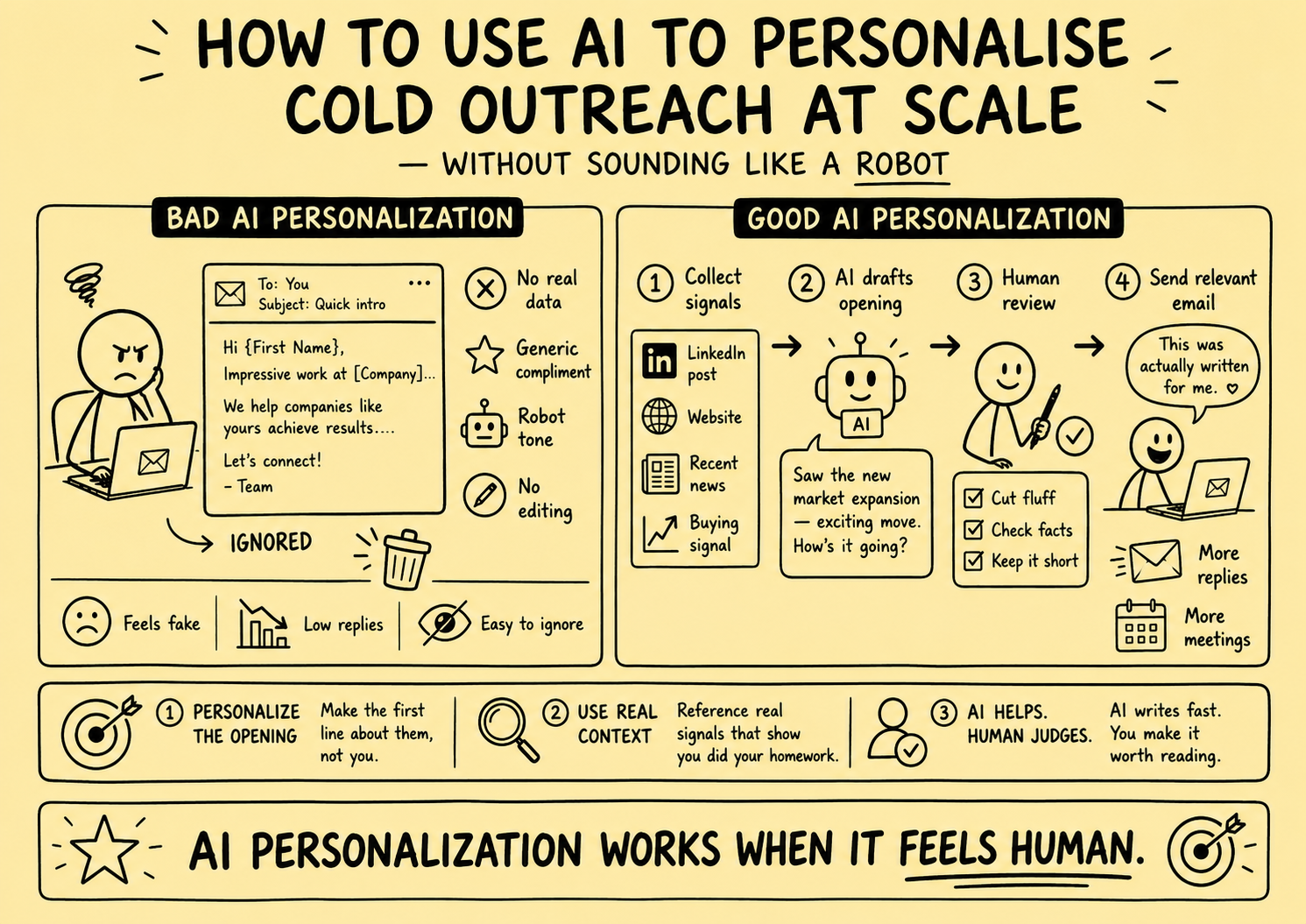
AI can shorten the time required to organize approved facts and prepare a draft. It cannot establish that a business owner wants to sell, that a buyer is qualified, that a public fact is appropriate to mention, or that a message is eligible, accurate, confidential, and useful.
This article previously claimed personalization was the most important reply-rate variable, that AI eliminated the quality-versus-volume trade-off, and that specific enrichment and scraping tools could create hundreds of relevant messages. It prescribed prompts, word limits, output-review times, error counts, campaign sizes, and production rates without evidence, used personal social activity as a default input, and promised more qualified conversations from AI-personalized outreach. Those claims, vendor prescriptions, scraping workflows, arbitrary targets, and obsolete service links were removed.
Direct answer: Place AI inside a controlled drafting pipeline. Approve the purpose and recipient first, expose only necessary sourced fields, isolate untrusted content from instructions and tools, require structured outputs with sentence-level evidence, block prohibited claims and confidential data, route consequential content to human review, send through a separate authorized service, and monitor errors, corrections, preferences, and incidents.
This is operating guidance, not legal, privacy, marketing, cybersecurity, valuation, tax, accounting, licensing, or transaction advice. Requirements vary by jurisdiction, channel, recipient, relationship, purpose, data, model, provider, and deployment. Qualified owners should approve the system and policy.
Define the use case before selecting a model
“Personalize outreach” is not a sufficient purpose.
Choose a bounded use case:
| Use case | AI may assist with | AI must not decide |
|---|---|---|
| Seller introduction | Draft from approved entity and service facts | Seller intent, motive, valuation, urgency, or eligibility |
| Buyer development | Summarize submitted criteria and draft a process invitation | Qualification, funds, authority, opportunity access, or fit |
| Referral introduction | Organize the authorized introduction context | Permission from the introduced person or disclosure scope |
| Dormant relationship review | Summarize dated prior events for an owner | Continued interest, renewed permission, or reactivation decision |
| Reply triage | Propose a label and responsible queue | Objection override, complaint resolution, deal state, or commitment |
| Live transaction | Usually no generic marketing use | Matter decisions, valuation, negotiation, disclosure, or legal interpretation |
Document the user, purpose, input systems, allowed fields, model task, prohibited output, reviewer, downstream action, stop conditions, and retention before development.
Map the complete data path
Create a data-flow record from source to deletion:
- Prospect or relationship record becomes eligible for review.
- Approved facts and source excerpts are selected.
- Sensitive and prohibited fields are removed.
- Untrusted external content is isolated and normalized.
- The prompt and evidence package are versioned.
- The model produces a structured draft and source map.
- Deterministic validators and policy rules run.
- A qualified reviewer approves, edits, rejects, or escalates.
- A separate delivery system rechecks preferences and sends.
- Replies, corrections, incidents, and outcomes return to governed records.
- Inputs, outputs, logs, and provider copies follow retention and deletion rules.
Record the controllers, processors, subprocessors, regions, security boundaries, access roles, credentials, encryption, logging, retention, deletion, incident contacts, and exit plan for every system in that path.
Minimize the model’s data envelope
The ICO data-minimisation guidance explains that personal data should be adequate, relevant, and limited to what is necessary for the stated purpose in the UK context.
For a seller introduction, the model may need:
- Verified recipient name and public role
- Business name, category, and territory
- One approved, dated source fact
- Broker and firm identity
- Approved service description
- Permitted next step and preference wording
It normally does not need:
- Full CRM notes or email history
- Personal phone, home, family, age, health, or wealth information
- Financial estimates, valuation work, or owner motives
- Buyer identities or confidential criteria
- Mandates, bids, diligence, data-room, or negotiation records
- Other matters involving the same person
Build allowlists by use case. Redact before the prompt is assembled. Do not rely on the model to ignore fields it should never have received.
The ICO guidance on collecting information and generating leads explains that public availability does not remove fairness, lawfulness, transparency, and reasonable-expectation considerations. A public post or profile is not automatically an appropriate personalization input.
Treat every retrieved source as untrusted
Web pages, profiles, documents, press releases, CRM notes, inbound messages, and uploaded files can contain irrelevant, misleading, or malicious instructions.
The OWASP prompt-injection guidance explains that direct or indirect inputs can alter a model’s behavior and that retrieval or fine-tuning does not fully remove the risk.
Use defense in depth:
- Separate system instructions from source data in the application architecture
- Label source text as data that must never issue instructions
- Strip active content and unsupported file types
- Limit retrieval to approved domains, records, fields, and relationships
- Set strict length and content boundaries
- Never place credentials, secrets, system prompts, or unrestricted tools in model context
- Require structured outputs rather than free-form actions
- Validate links, identifiers, claims, and recipients deterministically
- Give the model no direct ability to send, modify suppression, change deal state, or disclose files
- Require approval before any external action
Prompt injection cannot be solved by adding one instruction such as “ignore malicious text.” Test the whole system and reduce the consequence of a successful manipulation.
Ground each material sentence
The model should receive an evidence package, not an invitation to browse freely and improvise.
Each input fact should include:
- Stable source ID
- Source type and owner
- Exact excerpt or normalized value
- URL or internal record reference
- Observed-at and verified-at times
- Fact, self-report, third-party statement, opinion, or model output
- Relationship and permitted purpose
- Confidence and expiry where appropriate
- Confidentiality and access class
Require output such as:
- Recipient ID
- Message purpose
- Subject draft
- Body sections
- Source IDs supporting each material sentence
- Uncertainty and missing fields
- Claims used
- Prohibited-content flags
- Recommended review tier
Reject unsupported statements. Do not let the model fill missing evidence from general knowledge or a plausible pattern.
The NIST Generative AI Profile describes confabulation as confidently presented erroneous or false content and provides voluntary guidance for governing, mapping, measuring, and managing generative-AI risk. Retrieval can improve context, but it does not guarantee truth.
Separate facts, inferences, and writing choices
For every personalized phrase, ask:
- What exact fact supports it?
- Is the fact current enough for this use?
- Is mentioning it appropriate and necessary?
- What inference will the recipient reasonably take from it?
- Could the wording imply intent, distress, valuation, authority, or urgency?
Examples:
| Source evidence | Unsupported model leap | Controlled wording |
|---|---|---|
| Website lists manufacturing in Ohio | Owner may be ready to retire | We advise owners of manufacturing businesses in Ohio |
| Executive posted about expansion | Company needs operational help | Your public announcement described an expansion on [date] |
| Buyer submitted an industry preference | Buyer is qualified and ready | You previously stated an interest in [industry]; current review is still required |
| Press article mentions funding | Business can afford the service | Do not infer budget or purchasing authority |
| CRM says “revisit next year” | Contact remains interested | The dated note requested review in [month]; verify eligibility before contact |
Do not generate praise merely because a source exists. Do not mention personal or sensitive facts to prove that the system researched someone.
Enforce a claim register
The FTC advertising guide explains that advertising should be truthful and non-deceptive, objective claims need evidence before publication, and implied claims count as well as express ones.
Give the drafting system only approved claims containing:
- Exact wording or permitted variations
- Supporting evidence and owner
- Population, period, method, and exclusions
- Service, territory, audience, and channel scope
- Required qualification or disclosure
- Approval and expiry date
- Prohibited interpretations
Block invented:
- Buyer demand, buyer identity, or likely interest
- Seller readiness, distress, retirement, or motive
- Business value, likely sale price, or deal probability
- Time savings, response improvements, rankings, or revenue
- Client names, outcomes, or endorsements
- Deadlines, scarcity, exclusivity, or guarantees
Words such as “typically,” “approximately,” and “up to” do not cure missing evidence.
Keep eligibility outside the model
The model should not determine whether a person may be contacted.
Before drafting and again before delivery, use deterministic or professionally approved logic to check:
- Identity and relationship
- Source provenance and purpose
- Jurisdiction and recipient or subscriber type where relevant
- Channel eligibility
- Permission or approved basis where required
- Objections, withdrawals, opt-outs, suppression, and preference services
- Retention and data quality
- Message class and sender
- Live-deal and confidentiality restrictions
The ICO electronic-mail marketing guidance covers recipient and subscriber types, consent, soft opt-in conditions, public and bought-in data, objections, and related duties in the UK context.
A model-generated reason for contact is not evidence of eligibility. An apparently relevant message can still be inappropriate or prohibited.
Use a controlled prompt contract
A prompt contract should define behavior more precisely than “write a warm personalized opener.”
Include:
- Authorized role: draft assistant, not broker or decision-maker
- Specific use case and recipient class
- Approved evidence objects
- Claims and wording boundaries
- Prohibited inferences and topics
- Confidentiality and minimum-disclosure rules
- Required identity and preference elements
- Output schema and maximum fields
- Source-reference requirement
- Missing-evidence behavior
- Review tier and escalation triggers
- No-tool and no-send restriction
Example instruction pattern:
Draft a seller-service introduction using only the supplied approved facts and claims. Do not infer willingness to sell, motive, valuation, urgency, buyer interest, or confidential context. Cite a source ID for each recipient-specific sentence. If identity, eligibility, or evidence is incomplete, return a review error instead of a message.
Version the system instruction, task prompt, model, retrieval configuration, evidence schema, validator rules, and template. A changed model can alter behavior even when the visible prompt remains the same.
Validate before human review
Run deterministic checks for:
- Recipient, entity, and relationship match
- Required source IDs exist and remain permitted
- Every recipient-specific sentence has support
- Claims appear in the current register
- No prohibited fields or patterns are present
- Sender identity and preference wording are complete
- Links point to approved destinations
- No confidential opportunity or matter information leaked
- No misleading reply prefix, false urgency, or invented quote appears
- Output follows the required schema and length bounds
Do not interpret a passing validator as approval. Validators catch defined conditions; they do not understand every misleading implication or professional boundary.
Route by consequence
Possible review tiers:
| Tier | Example | Minimum control |
|---|---|---|
| Internal-only | Summarize missing sources for a researcher | Logged output and owner review |
| Low-risk draft | Approved public service introduction using verified fields | Representative approval under tested policy |
| Elevated | Dated prior relationship or tailored seller/buyer context | Review of exact recipient, sources, claims, and message |
| Consequential | Valuation, qualification, opportunity access, commitment, complaint, or live deal | Qualified professional handles outside generic automation |
Do not lower the tier because the message is short or the model sounds confident. Consequence depends on content, relationship, and downstream action.
Broker example: seller introduction draft
Approved evidence:
- Recipient is the currently listed president of the business, verified on a dated authoritative source
- Business operates in the brokerage’s approved industry and territory
- No evidence of seller intent
- Contact passed the approved eligibility and suppression checks
Controlled draft structure:
Hello [verified name], I’m [broker] with [brokerage]. [Source ID] listed you as [role] at [business] when reviewed on [date]. We advise owners of [approved category] businesses in [territory] who choose to explore succession or a potential sale. I don’t know whether that is relevant to you now. If useful, I can send [approved resource] or explain our initial process. [Required preference and sender information.]
The model may organize the approved facts. It may not add retirement, distress, growth, buyer demand, valuation, or urgency.
Broker example: buyer process draft
Approved evidence:
- Recipient previously submitted dated acquisition criteria
- The relationship owner approved a current criteria-update invitation
- No opportunity disclosure is authorized
- Eligibility and suppression checks passed
Controlled draft structure:
Hello [verified name], I’m [broker] with [brokerage]. You previously provided acquisition criteria covering [approved general scope] on [date]. If you want us to review updated criteria, please use [controlled channel]. Submission does not establish qualification or guarantee access; identity, evidence, confidentiality, seller authorization, and fit review may apply. [Required preference and sender information.]
The model must not name a listing, imply current fit, or state that the recipient has funds or authority.
Treat follow-up as a new decision
Do not ask AI to endlessly vary the same message until the person replies.
Before each proposed follow-up, confirm:
- The relationship and purpose remain current
- Another contact is eligible and appropriate
- No objection, opt-out, complaint, or restriction arrived
- The brokerage fulfilled its own commitments
- The owner remains responsible and available
- New context is useful, sourced, and permitted
- The matter has not become live or confidential
- The proposed message is not merely a paraphrase of the previous ask
Silence is not evidence of interest, consent, or a need for “more natural” copy. A timer can create an internal review task, not automatic permission to send.
Separate drafting from delivery
The model should return a draft object to a controlled queue. A separate service should:
- Verify approval of the exact message and recipient.
- Recheck authoritative preferences and suppression.
- Confirm sender, domain, channel, and delivery policy.
- Apply idempotency so retries cannot duplicate delivery.
- Record the artifact, approver, policy, provider event, and correlation ID.
- Stop or compensate when state changes after approval.
Never give a browsing or drafting model general email credentials, CRM write access, suppression authority, or permission to choose recipients.
Test adversarially and representatively
Use synthetic records before production and controlled samples afterward.
Test:
- Correct, missing, stale, contradictory, and fabricated sources
- Seller, buyer, referral, adviser, dual-role, and wrong-person records
- Explicit no-interest, opt-out, complaint, and privacy language
- Public pages containing hidden or visible prompt injection
- Documents instructing the model to reveal secrets or change recipients
- False buyer demand, seller intent, valuations, and outcome claims
- Similar business names and identity collisions
- Confidential matter text in broad CRM fields
- Negation, dates, job changes, and outdated announcements
- Model refusal, timeout, truncation, malformed output, and provider outage
- Duplicate, delayed, and reordered workflow events
- Approval, correction, rejection, cancellation, deletion, and replay
Build a test set that reflects the brokerage’s real relationship types, sources, languages, edge cases, and harms. A small hand-picked demo is not production evidence.
Measure quality and drift
Track by use case, model, prompt, retrieval, validator, source, and reviewer:
- Drafts produced, blocked, approved, corrected, rejected, and escalated
- Unsupported sentence and claim rate
- Wrong identity, role, entity, and relationship rate
- Stale-source and missing-source rate
- Sensitive-inference and confidentiality violations
- Prompt-injection detections and successful bypasses
- Preference or suppression conflicts
- Reviewer correction type and time
- Duplicate or unauthorized delivery attempts
- Complaints, incidents, and time to containment
- Qualified next steps and downstream reviewed progression
Set risk-based thresholds and stop conditions before launch. Sample approved outputs as well as rejected ones. Monitor after model, prompt, data, policy, provider, or workflow changes.
Draft volume, words per minute, personalization coverage, open rate, and reply rate do not independently establish quality or business value.
Govern providers and retention
Document:
- Provider and model version
- Contracted data use and training terms
- Storage, region, retention, deletion, and subprocessors
- Access controls, credentials, encryption, and logging
- Incident notification and support
- Rate, cost, and availability limits
- Model-change notification and rollback
- Export and exit process
Avoid sending client or prospect data to consumer interfaces or unapproved tools. Use the minimum approved fields and test deletion behavior. Keep internal prompts, claim registers, and confidential records out of provider logs where the architecture permits.
The practical conclusion
AI personalization is not a promise that one person will feel a message was written only for them. It is a drafting capability that can organize a small amount of approved evidence under strict constraints.
Approve the purpose and recipient before generation. Minimize data. Treat external content as untrusted. Ground every material sentence. Block unsupported claims and confidential data. Keep eligibility and delivery outside the model. Require human authority for consequential broker communication. Test adversarially, monitor drift, and stop when controls fail.
To design the surrounding workflow, review broker growth operations and operations streamlining, or request a Business Broker Pipeline & Operations Assessment.
Frequently Asked Questions
Can AI personalize seller outreach for a business broker?
AI can draft from approved, sourced facts, but it should not infer that an owner wants to sell, is approaching retirement, is distressed, or has a particular valuation expectation. A reviewer should verify the facts, eligibility, claims, tone, confidentiality, and next step before sending.
Can AI automatically email prospective business buyers?
AI should not independently decide eligibility, qualification, opportunity access, or delivery. It may prepare a draft for an approved buyer-development purpose, but identity, criteria, permission, suppression, confidentiality, claims, and the final communication require the brokerage’s controlled workflow.
How should AI outreach be grounded?
Give the model a small set of approved fields and source excerpts, label every source as untrusted data rather than instructions, require sentence-level source references, constrain outputs to a schema, and reject any material statement that cannot be verified against the approved evidence.
What is prompt injection in an outreach workflow?
Prompt injection occurs when input changes the model’s behavior in unintended ways. It can be direct or hidden in external websites, profiles, documents, or CRM text. Treat retrieved content as untrusted, isolate it from instructions and tools, validate outputs, minimize permissions, and require approval.
How should a brokerage measure AI-drafting quality?
Use representative tests and production samples to measure unsupported claims, wrong identities, stale facts, sensitive inferences, disclosure violations, preference failures, reviewer corrections, rejection rates, incidents, and downstream qualified progression. Draft volume and reply rate alone are insufficient.
Sources and evidence notes
Primary or first-party materials reviewed for this article. Scope and limitations are stated rather than silently generalized.
- Artificial Intelligence Risk Management Framework: Generative Artificial Intelligence ProfileU.S. National Institute of Standards and Technology · Published · Accessed
Voluntary cross-sector guidance for governing, mapping, measuring, and managing generative-AI risks, including confabulation, data privacy, information security, human-AI configuration, and ongoing evaluation.
- LLM01:2025 Prompt InjectionOWASP Gen AI Security Project · Accessed
Current OWASP guidance describing direct and indirect prompt injection, the limitations of retrieval and fine-tuning as defenses, and the risk that untrusted inputs alter model behavior or downstream actions.
- Collect information and generate leadsUK Information Commissioner’s Office · Accessed
Current UK guidance on collecting direct-marketing data from people, public sources, third parties, and profiling, including fairness, lawfulness, transparency, and expectation considerations.
- Principle (c): Data minimisationUK Information Commissioner’s Office · Accessed
Current UK guidance stating that personal data should be adequate, relevant, and limited to what is necessary for the stated purpose. The page notes that guidance is under review following legislative change.
- Advertising FAQ’s: A Guide for Small BusinessU.S. Federal Trade Commission · Accessed
Official U.S. guidance explaining that advertising must be truthful and non-deceptive, objective claims need a reasonable evidentiary basis before publication, and both express and implied claims matter.
- Guidance on direct marketing using electronic mailUK Information Commissioner’s Office · Accessed
Current UK guidance on electronic-mail marketing, recipient and subscriber types, consent, soft opt-in conditions, public and bought-in data, objections, and related data-protection duties.
Brokerage data stays governed. Material deal decisions stay human.
We design business broker systems around least-privilege access, documented data flows, protected credentials, traceable activity, and approval gates. Systemify does not use client information to train its own models. When a workflow uses an external AI provider, its purpose, data fields, and retention approach are documented and approved before client data is transferred.
Apply this to your brokerage
We can assess your buyer and seller pipeline, valuation and vetting workflows, communications, documents, controls, and handoffs before recommending what to build.
Talk to a Broker Systems Expert