
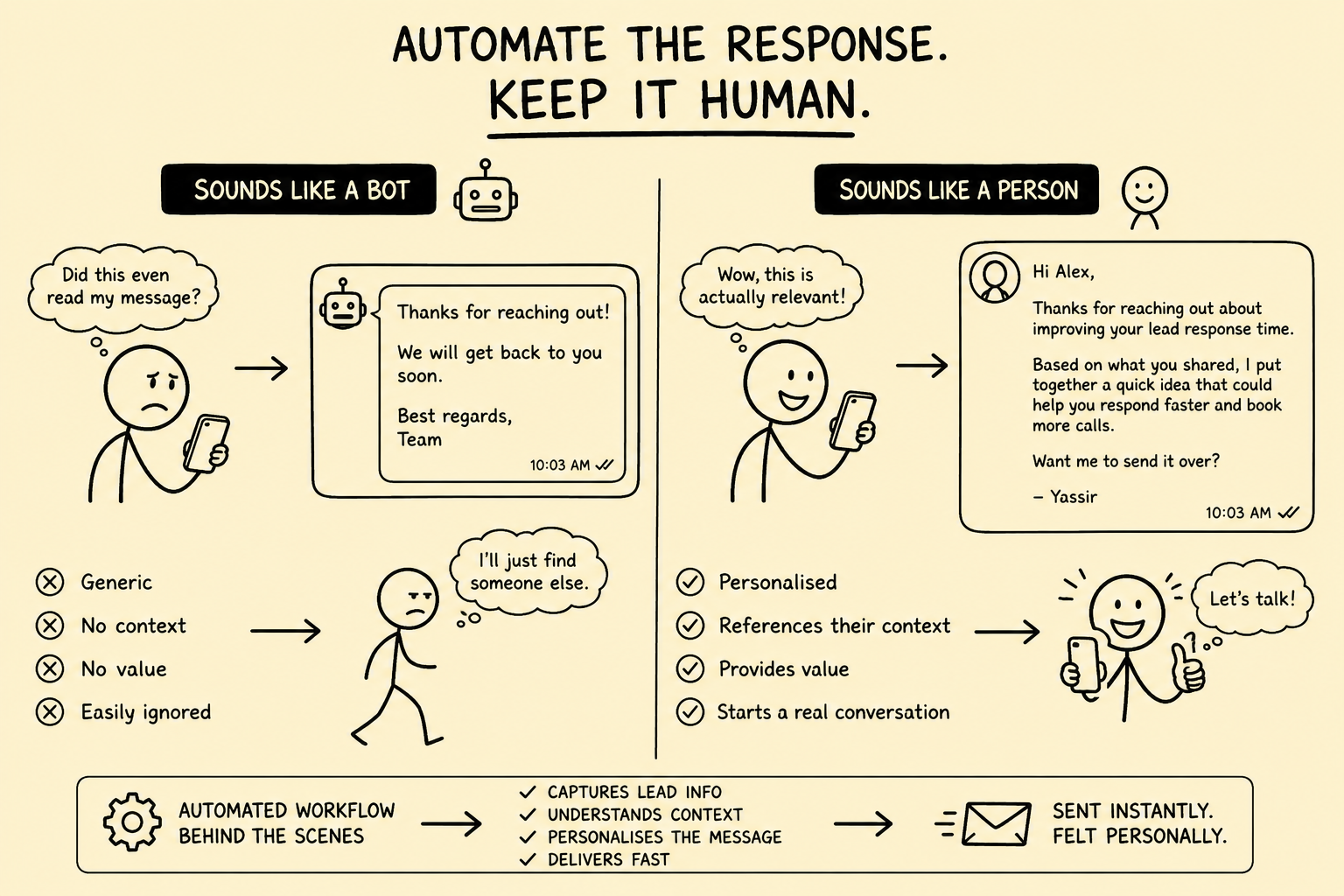
The purpose of an automated inquiry response is not to convince someone that a human secretly wrote it. The purpose is to acknowledge the right person, use verified context, protect confidential information, set an accurate expectation, and place the inquiry with an accountable owner.
This article previously said good automation should make recipients think a top salesperson wrote the message, treated web and form data as safe personalization, implied that deeper personalization converts more leads, and recommended testing whether acquaintances could detect automation. Those claims, examples, and obsolete service links were removed.
Direct answer: Automate narrow acknowledgments and routing first. Verify identity and channel eligibility, separate seller, buyer, partner, and live-deal inquiries, ground every statement in approved data, block sensitive inferences, require human review for consequential content, synchronize objections, and measure accuracy and handoff quality rather than whether the message “sounds human.”
This is an operating framework, not legal advice. Privacy, electronic marketing, recording, professional, licensing, advertising, confidentiality, and communications requirements vary by jurisdiction, recipient, channel, message purpose, relationship, and data. Qualified owners should approve the real workflow.
Classify the event before composing a response
One web form can receive very different communications. The system must determine what arrived before choosing a template, data scope, or next step.
| Inquiry type | Safe initial objective | Consequential content requiring control |
|---|---|---|
| Potential seller | Confirm receipt and confidential routing | Valuation, buyer demand, likely price, readiness, mandate, or sale advice |
| Potential buyer | Confirm receipt and explain qualification steps | Access to listings, financing status, suitability, or confidential seller details |
| Existing seller or buyer | Route to the relationship or deal owner | New promotional content, access changes, commitments, or transaction decisions |
| Referral or professional partner | Identify matter and responsible contact | Client information, conflicts, legal or tax interpretations |
| General contact | Clarify the requested subject | Assumptions that the sender is a buyer or seller |
| Complaint or stop request | Acknowledge and execute the required process | Continued promotion or defensive automated argument |
| Security or privacy issue | Contain and escalate through the incident path | Copying sensitive content into ordinary marketing tools |
| Spam, abuse, or suspected fraud | Quarantine and review | Automatic links, downloads, disclosure, or record changes |
Do not infer a person’s role from a page visit alone. Preserve the original submission, source, time, form version, consent or preference fields, authentication state, and attachments before enrichment or transformation.
Separate acknowledgment, service, and marketing content
The FTC CAN-SPAM business guide explains that an email’s primary purpose matters and distinguishes commercial content from narrowly defined transactional or relationship content. An inquiry does not automatically make every later promotional message transactional.
The ICO’s April 2026 electronic-mail marketing guidance addresses recipient and subscriber types, consent, soft opt-in conditions, public and bought-in data, objections, and related data-protection duties in the UK context.
For each message, store:
- Purpose and message class
- Recipient type and jurisdiction logic used
- Requested channel and permitted scope
- Consent, applicable basis, or relationship evidence where required
- Source event and form language shown to the person
- Suppression decision and list version
- Template, model, and policy versions
- Sender identity and accountable relationship owner
Keep a requested acknowledgment focused on the request. If promotional content changes the message’s primary purpose or regulatory treatment, apply the appropriate rules rather than hiding it below service language.
Build the acknowledgment from verified facts
A low-risk automated acknowledgment can often:
- Identify the brokerage accurately
- Confirm the date, channel, and subject received
- Restate a small number of facts the person actually submitted
- Explain who will review the inquiry
- Give a realistic next-step window backed by operating capacity
- Provide a secure correction or document-upload path
- Explain urgent, privacy, complaint, or stop-request routes
It should not:
- Invent familiarity with the person or company
- Claim that the sender is qualified, motivated, ready, or a good fit
- Imply that a specific buyer or seller match exists
- Estimate value or transaction likelihood
- Promise confidentiality beyond the approved process
- Repeat sensitive details unnecessarily
- State that someone read the message when no person has
- manufacture urgency or a false deadline
Transparency does not require a robotic disclaimer in every sentence. It requires that identity, responsibility, process, and material limitations are not misleading.
Use a controlled data envelope
“Use everything we know” is not a personalization strategy. Define which fields each response type may access.
| Data class | Default handling |
|---|---|
| Submitted contact and inquiry text | Use only for the stated response purpose and preserve the original |
| CRM relationship facts | Use if identity and matter matching are sufficiently reliable |
| Public company facts | Treat as sourced, dated context; do not infer personal intent |
| Page, campaign, and referral source | Use for routing; avoid exposing tracking in a surprising way |
| Buyer or seller qualification fields | Restrict by role, purpose, and verification status |
| Valuation and financial information | Exclude from automatic outbound drafts unless specifically approved |
| Deal-confidential information | Keep within the authorized matter and recipient boundary |
| Sensitive personal data | Block or escalate under the approved policy |
| Model-generated inference | Never present as a submitted or verified fact |
The ICO data-protection-by-design guidance emphasizes appropriate technical and organizational measures from design through the processing lifecycle. Apply that principle to collection, enrichment, prompting, storage, approval, delivery, retention, and deletion.
Resolve identity before joining records
An email address, phone number, or company name may be shared, mistyped, recycled, or attached to several relationships. A wrong merge can expose a confidential mandate or another party’s history.
Use stable internal identifiers and store external IDs as mappings. Define confidence thresholds for automatic linking and send ambiguous cases to review. Test:
- Personal versus shared company addresses
- One person acting as owner, buyer, adviser, or referral source
- Similar names and related companies
- Several opportunities with different permissions
- Reassigned phone numbers and forwarded messages
- Duplicate submissions with conflicting facts
- Existing objections or restricted contact states
Until identity and access are resolved, send only a generic receipt acknowledgment that reveals no matter-specific information.
Route by risk as well as topic
Topic classification alone is not enough. A seller inquiry containing a valuation question, legal threat, privacy request, or live-deal detail needs a different path from an ordinary exploratory message.
Useful risk flags include:
- Valuation, price, tax, legal, financing, or regulatory questions
- Named confidential business, buyer, seller, or transaction
- Personal identifiers, bank information, health data, or credentials
- Complaint, dispute, threat, deadline, or alleged commitment
- Stop, unsubscribe, deletion, access, or correction request
- Suspected impersonation, fraud, malware, or data incident
- Ambiguous identity or access authorization
- AI uncertainty or unsupported source retrieval
High-risk events should stop promotional workflows, preserve evidence, restrict access, and alert an accountable owner through a tested escalation channel.
Treat AI output as an attributed draft
The NIST Generative AI Profile provides voluntary guidance for governing, mapping, measuring, and managing generative-AI risk. Apply it to classification, retrieval, drafting, translation, summarization, and suggested next actions.
Constrain the system with:
- Approved input fields and retrieval sources
- Explicit prohibited claims and sensitive inferences
- Required uncertainty and missing-data behavior
- Output schemas separating facts, drafts, and proposed actions
- Maximum data exposure by inquiry type
- Human approval rules based on consequence
- Model, prompt, retrieval, and template version logs
- A deterministic fallback when the model is unavailable
Test hallucinated company facts, invented buyer demand, wrong relationship owner, missed negation, mistaken role, false urgency, wrong language, unsupported valuation language, cross-matter leakage, prompt injection in form text or attachments, and a stop request hidden inside a longer message.
The system should cite its internal source fields to the reviewer. If it cannot support a material sentence, it should omit the sentence or escalate instead of improvising.
Define automatic, review, and prohibited zones
| Zone | Examples |
|---|---|
| Automatic after testing | Receipt acknowledgment, secure-upload link, office-hours notice, relationship-owner task, duplicate alert |
| Human review required | Tailored process explanation, valuation discussion, buyer-fit statement, confidential opportunity reference, engagement scope, promised deadline |
| Prohibited | Invented familiarity, fabricated buyer or seller facts, automatic value conclusion, unapproved legal or tax advice, disclosure across matters, rebuttal after opt-out |
An automatic message can create a proposed task, but it should not silently change seller readiness, buyer qualification, valuation status, mandate state, data-room access, or deal stage.
Honor objections and channel changes centrally
An objection may arrive in the form, a reply, a phone call, a forwarded message, or a free-text sentence. Detection helps, but the final system needs an authoritative preference and suppression record.
When a person asks to stop or changes channel preference:
- Preserve the source message and exact scope.
- Update the authoritative record promptly.
- Cancel pending promotional messages and tasks.
- Propagate the change to connected systems and duplicate identities.
- Send only an approved confirmation where appropriate.
- Queue and alert any failed propagation.
- Reconcile until all affected systems agree.
Test delayed webhooks, imports, offline work, retries, record merges, new campaigns, vendor replacement, and ambiguous scope. Do not let a generated reply argue with the request.
Protect delivery and reply handling
Use authenticated domains and approved sender identities. Restrict reply-to addresses to monitored mailboxes. Do not send confidential links or attachments until recipient identity and access are appropriate.
Define:
- Delivery timeout, retry, and duplicate prevention
- Bounce, auto-reply, and out-of-office behavior
- Link expiration and authentication
- Attachment scanning and quarantine
- Thread and matter matching
- Reply ownership and service targets
- Escalation when the assigned person is absent
- Audit logs for generation, edits, approval, delivery, access, and reply
A successful API response proves only that a provider accepted the message. It does not prove delivery, comprehension, qualification, or a useful relationship outcome.
Test with representative inquiry stories
Use synthetic or controlled records before production.
Test:
- Complete, incomplete, contradictory, duplicate, and empty submissions
- Seller, buyer, partner, complaint, privacy, and live-deal messages
- Correct, ambiguous, shared, and spoofed identities
- Existing client with several matters and access levels
- Public-source data that is stale or belongs to another company
- Consent present, absent, withdrawn, or outside the requested scope
- Stop request in subject, body, attachment, and quoted thread
- Sensitive data, prompt injection, malware, and unsafe links
- AI response correct, unsupported, overconfident, and unavailable
- Human reviewer edits, rejects, delays, or misses the service target
- Duplicate events, provider outage, bounce, reply, and partial synchronization
- Export, deletion, incident recovery, and vendor exit
Acceptance criteria should cover identity accuracy, classification accuracy, unsupported-statement rate, sensitive-data exposure, suppression propagation, unauthorized sends, handoff completion, correction rate, escalation time, and recovery.
Measure response quality, not human imitation
Track:
- Receipt-to-acknowledgment and receipt-to-human-ownership time
- Correct inquiry, relationship, and risk classification
- Identity conflicts and cross-matter prevention
- Unsupported or corrected draft statements
- Sensitive-data and confidentiality exceptions
- Objections detected, propagated, and reconciled
- Automatic drafts approved, edited, rejected, or escalated
- Delivery, bounce, duplicate, and reply-routing failures
- Service targets met by inquiry type and complexity
- Qualified next steps accepted after professional review
- Complaints and time to resolution
Do not use “recipients could not tell it was automated” as a success metric. A system can sound natural and still be inaccurate, intrusive, misleading, or unsafe. Measure whether it handled the inquiry correctly and connected the person to the right accountable human.
The practical conclusion
Good inquiry automation is quiet infrastructure, not a human-impersonation contest. It captures the event, respects the communication context, limits data, grounds the draft, protects confidential relationships, and makes ownership visible.
Start with a narrow acknowledgment. Add classification and routing. Define automatic, review, and prohibited zones. Test identity, consent, suppression, confidentiality, AI failure, and recovery. Expand only when the evidence shows the complete story is reliable.
To design the surrounding system, review broker growth operations and automation and AI systems, or request a Business Broker Pipeline & Operations Assessment.
Frequently Asked Questions
Should an automated response pretend it was written personally by a broker?
No. The goal is an accurate, useful, and appropriately transparent response, not deception. Identify the brokerage and responsible team clearly, avoid fabricated observations, and make it easy to reach an accountable person.
What can be sent automatically after a seller inquiry?
A narrow acknowledgment can confirm receipt, restate only verified submitted facts, explain confidentiality and next steps, and identify the responsible contact. Valuation views, buyer claims, engagement terms, suitability judgments, and material advice should follow the required professional review.
Can an inquiry response include marketing content?
The answer depends on the message, recipient, jurisdiction, channel, permissions, relationship, and primary purpose. Operationally separate requested service information from promotional content, preserve the basis for sending, and honor objections and suppression across connected systems.
How should AI personalization be grounded?
Allow the model to use only approved fields and retrieved source passages, require source attribution internally, prohibit sensitive inferences, test material failure modes, and send uncertain or consequential drafts to a human reviewer.
What should cause an inquiry to escalate immediately?
Examples include complaints, stop requests, identity conflicts, active disputes, legal or tax questions, threats, suspected fraud, data incidents, sensitive personal information, live-deal confidentiality issues, valuation requests, and messages containing commitments or deadlines.
Sources and evidence notes
Primary or first-party materials reviewed for this article. Scope and limitations are stated rather than silently generalized.
- CAN-SPAM Act: A Compliance Guide for BusinessU.S. Federal Trade Commission · Accessed
Official U.S. guidance distinguishing commercial, transactional or relationship, and other email content by primary purpose and explaining requirements for commercial messages.
- Guidance on direct marketing using electronic mailUK Information Commissioner’s Office · Accessed
Current UK guidance on electronic-mail marketing, subscriber types, consent, soft opt-in conditions, public and bought-in data, objections, and related data-protection duties.
- Data protection by design and by defaultUK Information Commissioner’s Office · Accessed
Current UK guidance on integrating appropriate technical and organizational data-protection measures from design through the processing lifecycle.
- Artificial Intelligence Risk Management Framework: Generative Artificial Intelligence ProfileU.S. National Institute of Standards and Technology · Published · Accessed
Voluntary cross-sector guidance for governing, mapping, measuring, and managing generative-AI risks across the AI lifecycle.
Brokerage data stays governed. Material deal decisions stay human.
We design business broker systems around least-privilege access, documented data flows, protected credentials, traceable activity, and approval gates. Systemify does not use client information to train its own models. When a workflow uses an external AI provider, its purpose, data fields, and retention approach are documented and approved before client data is transferred.
Apply this to your brokerage
We can assess your buyer and seller pipeline, valuation and vetting workflows, communications, documents, controls, and handoffs before recommending what to build.
Talk to a Broker Systems Expert