
What does Are they grabbing my IP? do?
Are they grabbing my IP? checks browser-side resources a page loads—such as scripts, frames, images, links, and network requests—for signatures associated with recognised visitor-identification, company-identification, and IP-enrichment services. When it finds a match, it shows the service name, the confidence of the match, and the browser-side evidence that triggered it.
It can recognise providers including RB2B, Warmly, Dealfront, Leadinfo, 6sense, Demandbase, IPinfo, ipify, IP API, ipdata, IPGeolocation, Abstract IP Geolocation, and MaxMind.
How it works
- Open a website. The extension observes the page resources available in your browser.
- Open the extension popup. It checks those resources for recognised service signatures.
- Review the result. Matches include the service name, confidence, and the resource that triggered the result.
- Choose your blocking settings. Keep protection on, turn it off globally, or allow a particular site and reload it.
Watch the walkthrough
See the extension detect a recognised service, explain its result, and show the blocking controls in action.
Download Are they grabbing my IP?
Choose the package for your browser. Both downloads contain the extension files and its privacy documentation.
What you’ll see

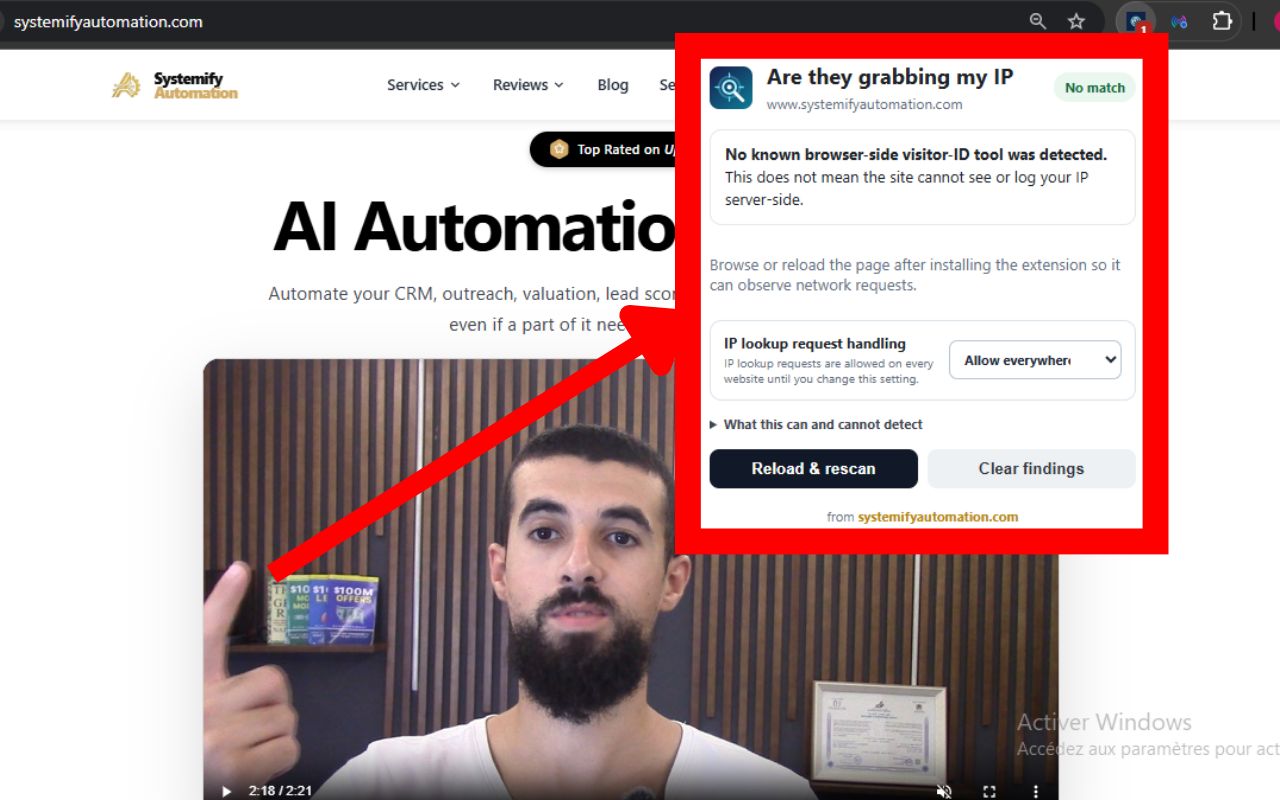
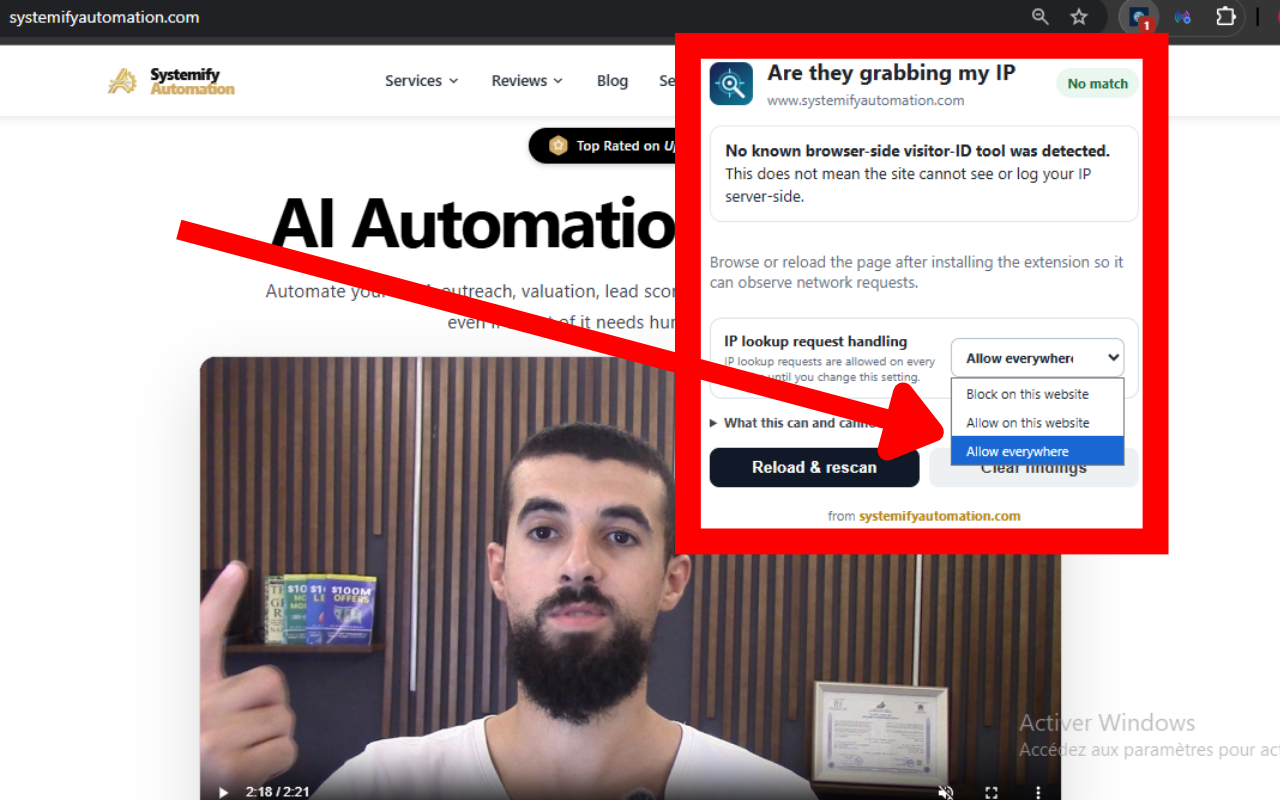
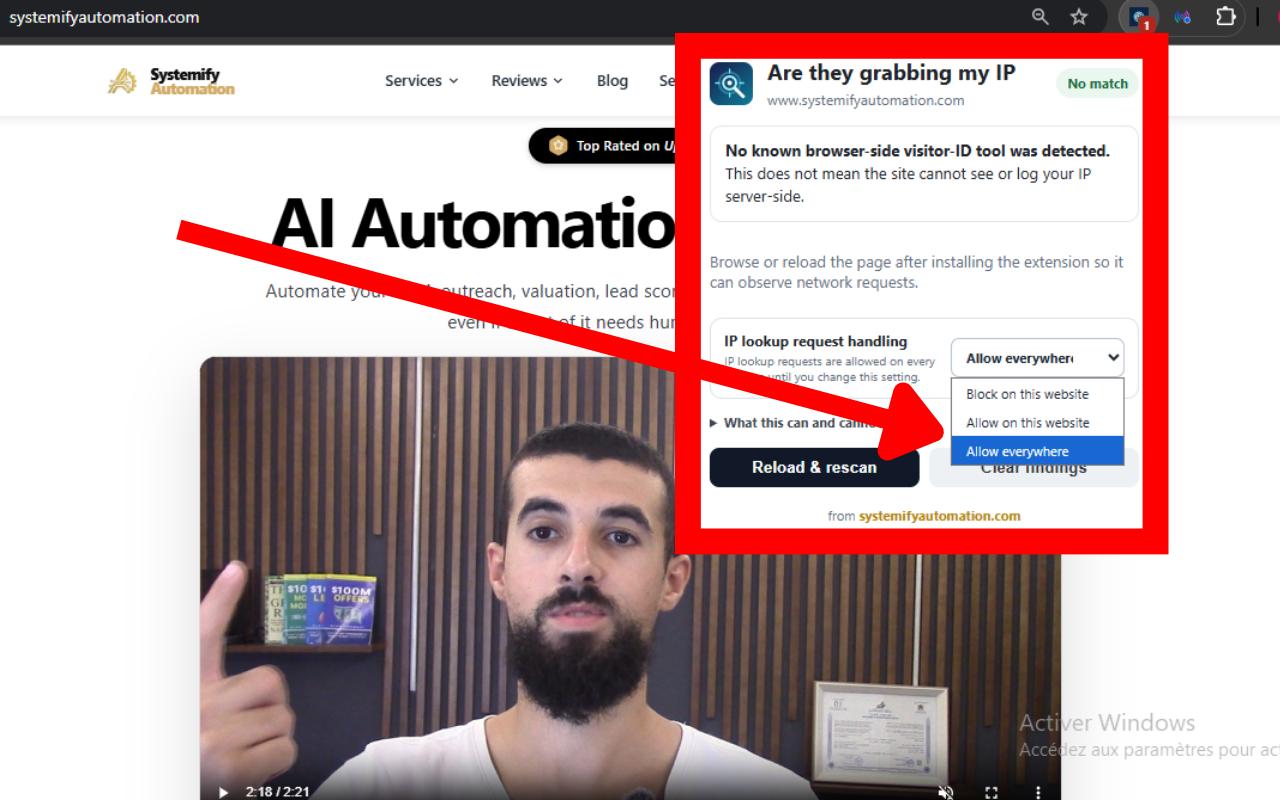
What the extension blocks
The extension blocks a focused list of known IP lookup and IP-enrichment requests by default. Those rules run in the browser, so matching requests are prevented from being sent. Your blocking preference and allowed-site list remain in place until you change them.
It deliberately does not block Cloudflare or CAPTCHA providers. Blocking them can stop protected websites from loading or completing verification. If a website needs an IP lookup service, allow that site from the popup and reload the page.
Privacy by design
All detection and blocking take place locally. The extension does not send browsing history, IP addresses, page content, or detection results to a server. It uses no analytics, advertising, remote code, or third-party services.
The only information it stores is your blocking preference and the websites you choose to allow.
What it cannot tell or do
The extension cannot hide your IP address from the website you connect to, its hosting provider, or a service such as Cloudflare. Those systems need the network address used to establish the connection. Use a VPN or proxy if you want to hide that address from the destination.
“No match” means the extension did not find a recognised browser-side service. It does not prove that the website is not logging IP addresses or identifying visitors on its own servers.
Frequently asked questions
Does Are they grabbing my IP? hide my IP address?
No. A website, its hosting provider, and services such as Cloudflare need the network address used to establish the connection. Use a VPN or proxy if your goal is to hide that address from the destination.
What does “No match” mean?
It means no recognised browser-side visitor-identification or IP-enrichment service was found. It does not prove that a website is not logging IP addresses or identifying visitors on its own servers.
Does the extension send my browsing data to a server?
No. Detection and blocking happen locally in the browser. The extension does not send browsing history, IP addresses, page content, or detection results to a server and does not use analytics, advertising, remote code, or third-party services.
Why does the extension not block Cloudflare or CAPTCHA providers?
Blocking those providers can prevent protected websites from loading or completing verification. If a site depends on an IP lookup service, you can allow that website from the extension popup and reload the page.
Last updated: October 7, 2026