

Keep sensitive information out of your recordings
When you create content, a single visible email address or phone number can turn a useful recording into a privacy issue. Creator Privacy Canvas gives you a simple recording-safe layer for the active tab.
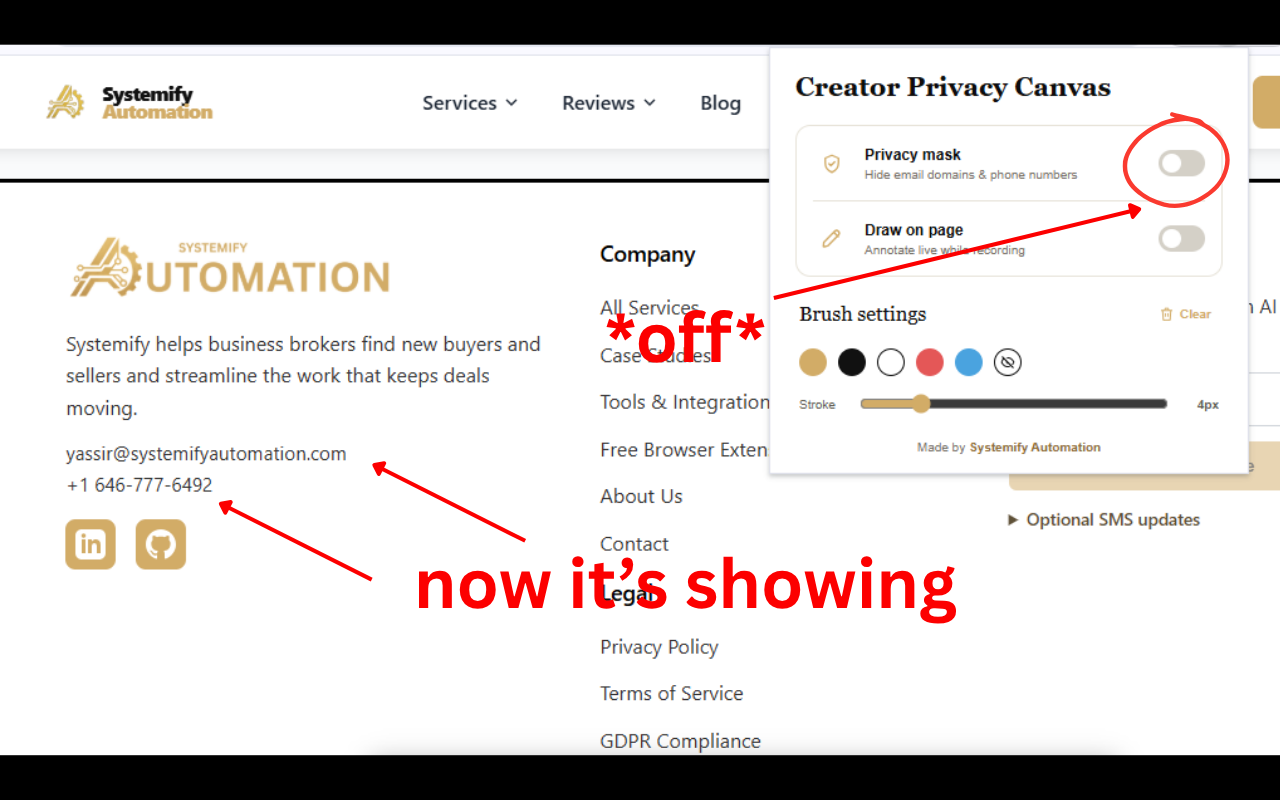
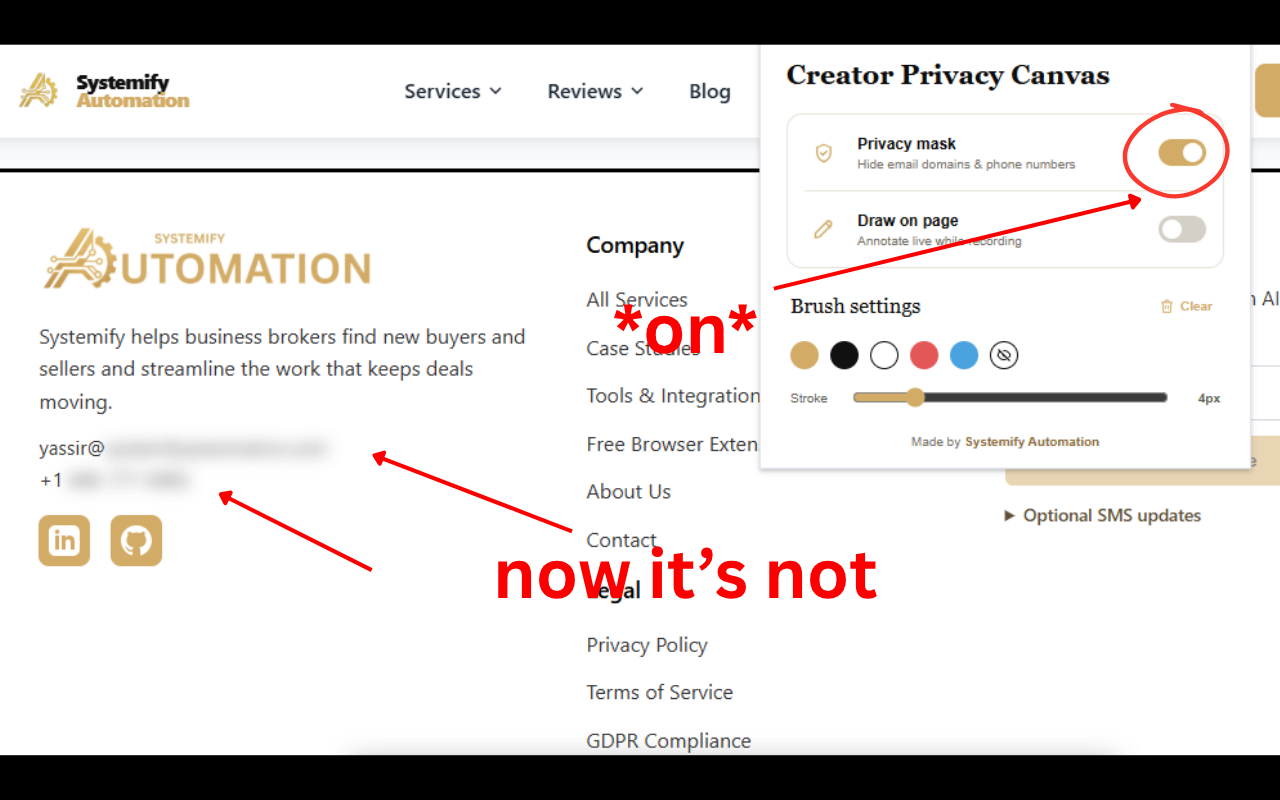
Mask email domains
The domain portion of an email address is blurred, leaving the beginning visible for context.
alex@[masked domain]Mask phone numbers
The first three characters stay visible; the rest is blurred. Extensions remain visible.
+44 [masked] ext. 204Draw while you explain
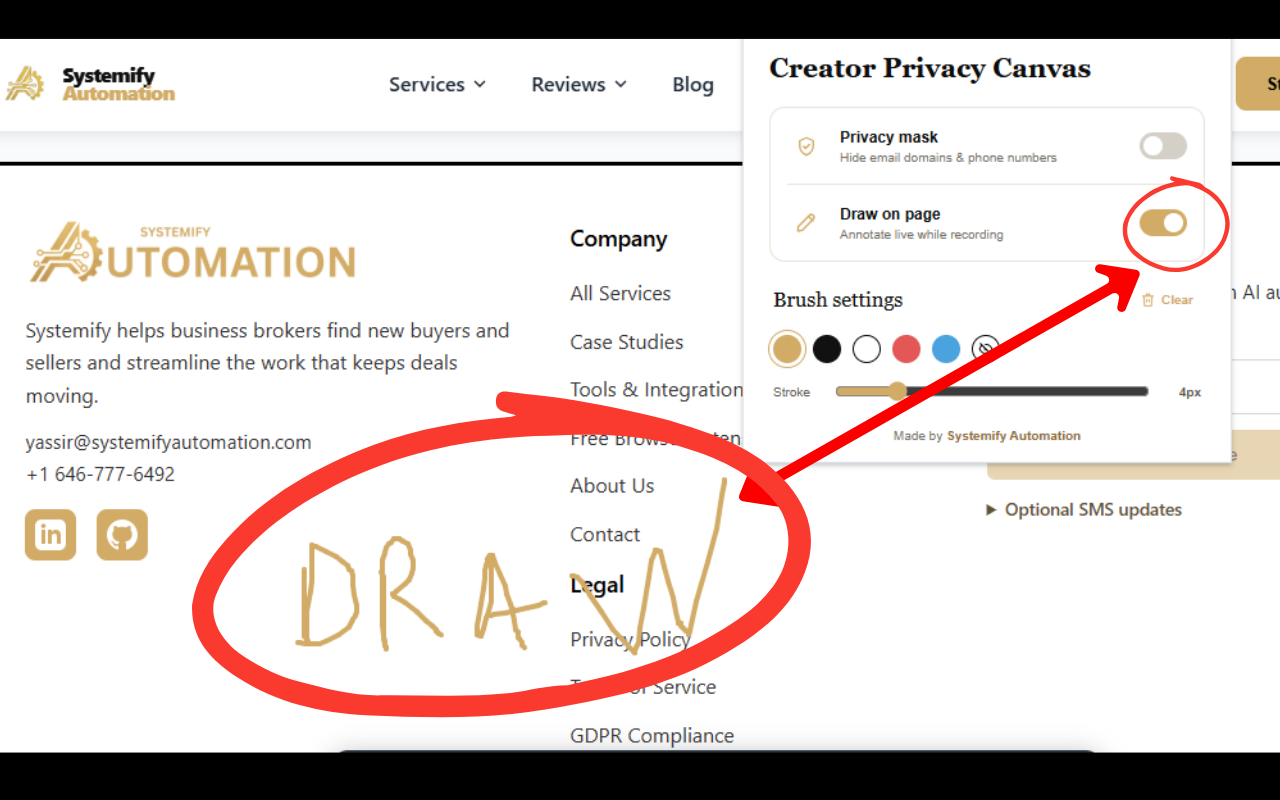
Annotate the live page while recording. Choose a brush color, set the stroke size, and clear the canvas for your next point.
Fast by design
The extension scans when enabled, then watches only for changed content to avoid unnecessary work while you record.
Three steps to a cleaner recording
- Open the page you want to record.
- Open Creator Privacy Canvas. Enable Privacy mask or Draw on page.
- Start recording with more confidence.
The masking is visual only. It does not alter the page's original content.
Watch the walkthrough
See Creator Privacy Canvas mask private details and add live annotations while you record.
See it in action
Mask private details or switch to the drawing canvas without leaving the page you are recording.
Download the extension
Choose the package for your browser. The Chrome Web Store listing will be linked here once it is approved.
- Download and unzip the package to a folder you will keep.
- Open your browser's extension-management page and turn on Developer mode if required.
- Select Load unpacked, then choose the unzipped extension folder.
Your content stays on your device
Creator Privacy Canvas processes visible text locally in your browser to apply visual masking. It does not collect, transmit, sell, or share webpage content, email addresses, phone numbers, or browsing history.
The extension stores only your local preferences, such as whether masking and drawing are enabled. Read the privacy policy.
Frequently asked questions
Does the extension change the real webpage?
No. It applies a visual blur layer for recording. The underlying webpage data is not changed.
Which information does it blur?
It masks email domains and phone numbers visible in regular page text. Phone-number extensions remain visible.
Does it work on forms and editable fields?
No. To avoid interfering with normal interaction, masking is intentionally limited to rendered, non-editable page text.
Is my data sent to a server?
No. The extension works locally in your browser and does not send webpage content or detected personal information anywhere.
Can I choose a drawing color?
Yes. Select a preset brush color or choose a custom color from the color control in the extension popup.
Make every screen recording safer.
Protect private information, add clear visual explanations, and stay focused on your content.
Download for ChromeLast updated: October 23, 2026